Preparation for Amendment 13 to the Privacy Protection Law
Personal data kept past its purpose. Found, approved, deleted. On your server.
Software installed on your own server. It finds personal data in mailboxes and SharePoint sites, and deletes nothing without a documented human approval.
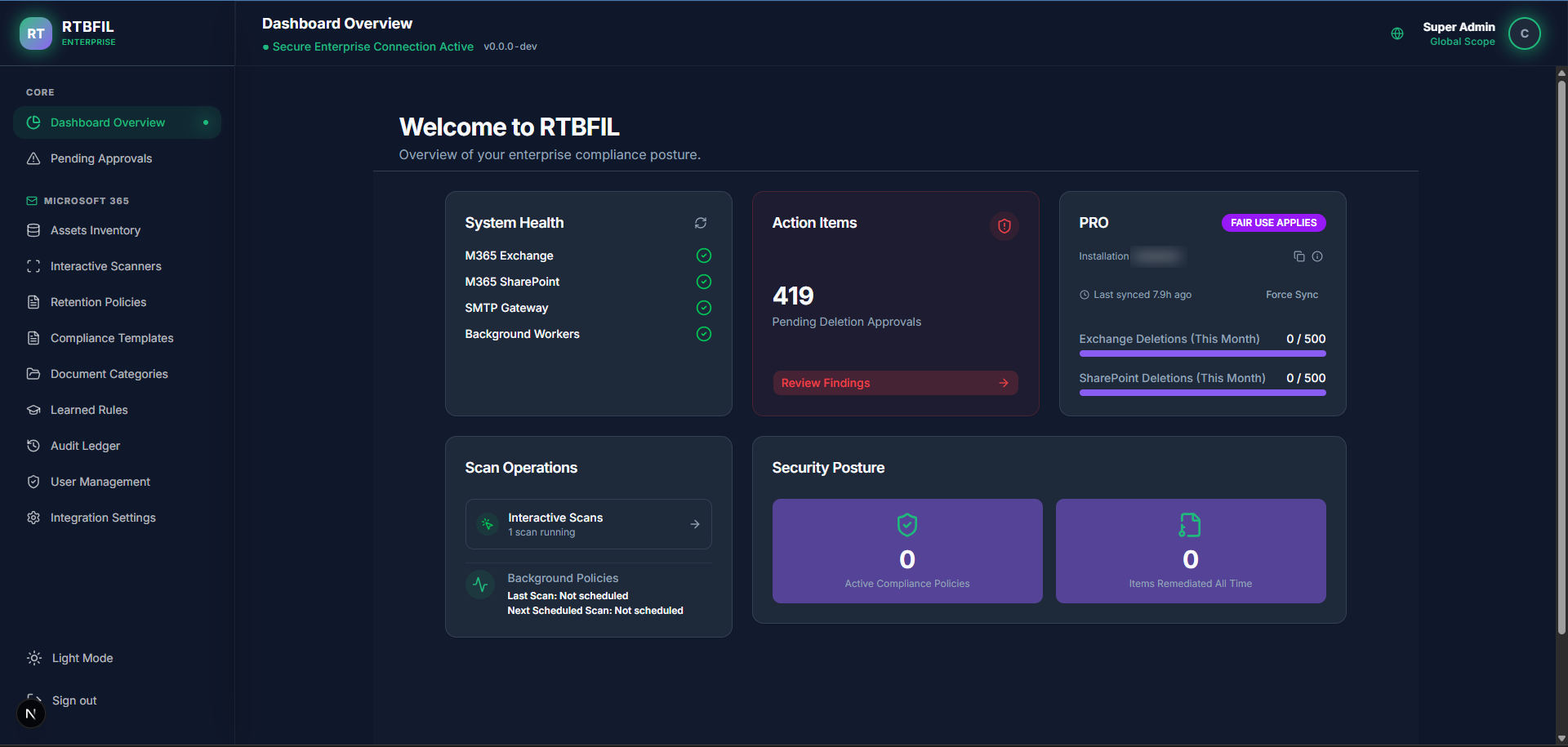
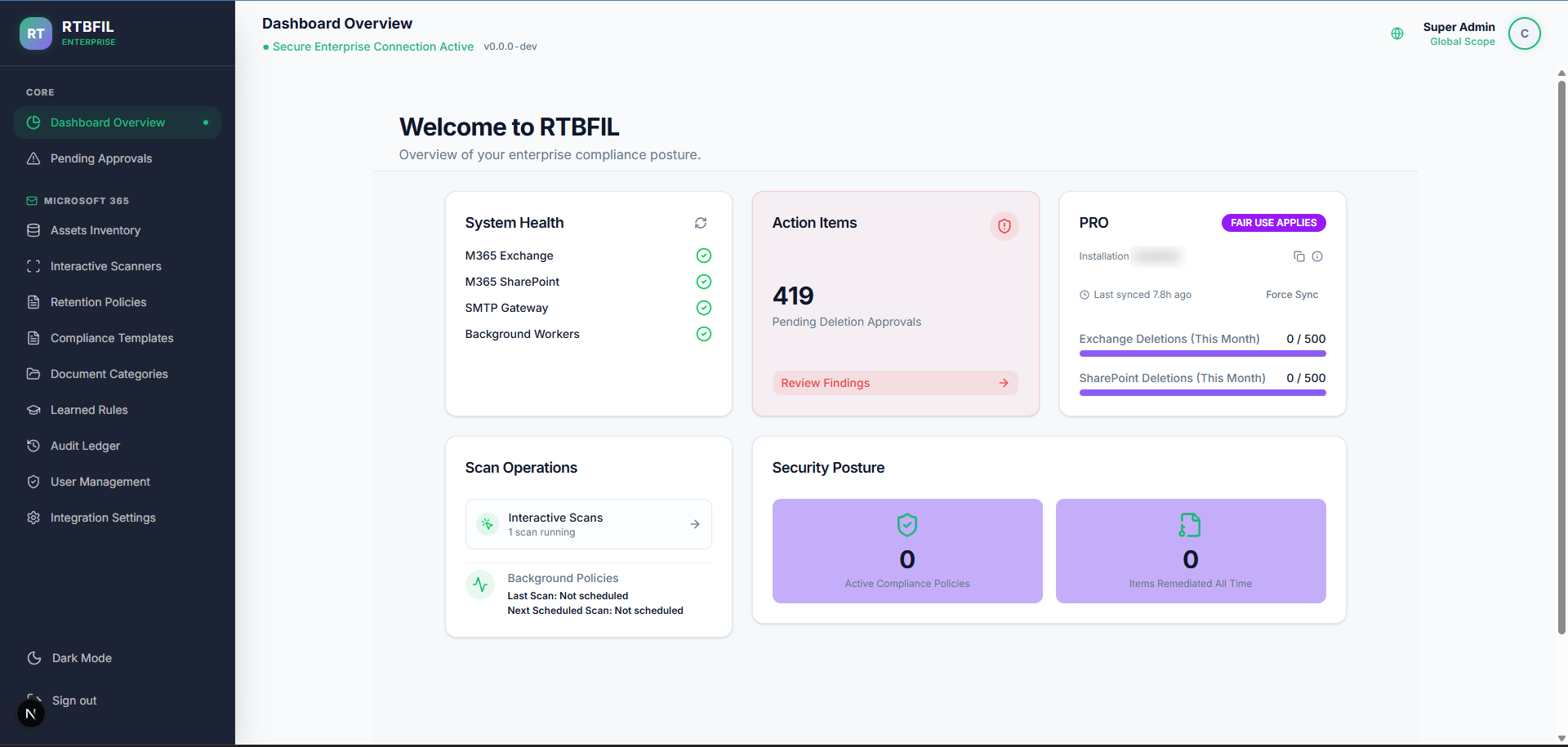
Nobody knows where it is any more
CVs, ID scans, medical forms. Sent once, and still sitting in mailboxes and SharePoint sites. To delete data whose purpose has ended, you first have to know where it is.
Four steps, and a person decides at the end
Connect to Microsoft 365
An app registration in Azure, admin consent for three Graph permissions, and one click on "Test connection".
Retention policy
How long each kind of data is kept, and what happens when the period ends. You set it, the system enforces it.
A scan that reads content
Not the file name but the content itself, including scanned PDFs and images. In SharePoint you set a maximum file size per policy, defaulting to 50 MB.
Pending approvals
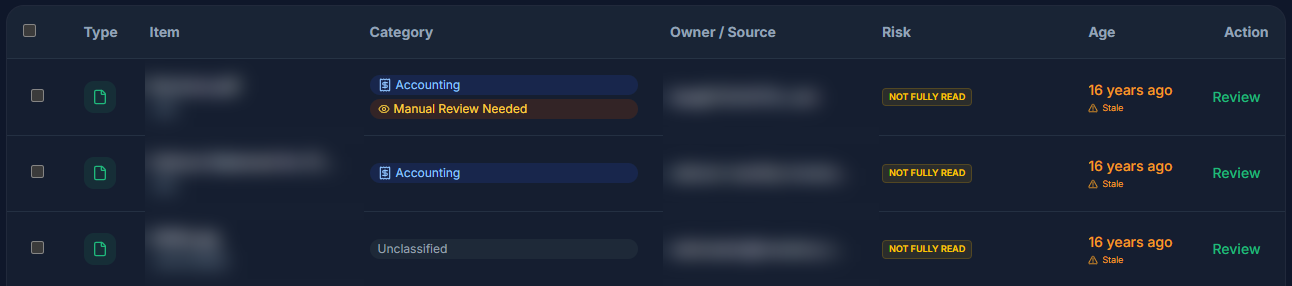
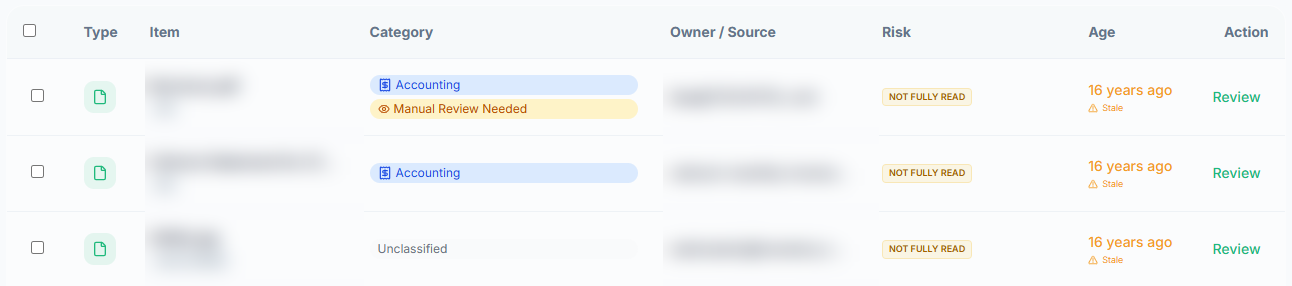
Every finding reaches a table, and each row has five columns: type, item, category, owner and source. Without a documented approval, nothing is deleted.


Content, not file names
- Scanned PDFs and images
- A file photographed on a phone goes through OCR and is read like a document.
- Fewer false positives
- ID numbers are checked by their check digit and credit cards by Luhn, not by pattern alone. Then the surrounding 150 characters are checked for context.
- 12 built-in compliance templates
- Medical, financial, HR and more. 10 of the 12 cite Israeli law, and three carry a built-in retention period.
No code path deletes without a documented human approval
Deletion is a person's decision, not a process's outcome. An approved deletion with no confirmation that it ran gets a ledger line, and the system never re-runs it.
An irreversible action looks like this: a confirmation window that says exactly what is about to happen. In mail, that the mailbox owner will not be able to restore the message. In SharePoint, that earlier versions of the file are permanently deleted, and the file itself goes to the site recycle bin.
Why the rule exists: the law forbids processing personal data in a database for anything other than the purpose set for it, and the Privacy Protection Authority turns that into an instruction to keep only the information you need and delete the rest. A deletion with no record of who decided and when leaves you with nothing to show. Sources and dates.
A ledger you cannot quietly change
- Hash chain
- Each line signs the one before it. Changing a single line means recomputing every line after it, otherwise the change is detected.
- Integrity check button
- It verifies that every line carries a hash, that every link matches the previous one, and that every hash is correctly computed. The result is on screen.
- CSV export
- For legal counsel, the privacy officer, the auditor.
Everything on your server
No cloud, no SaaS, no content upload. The deployment is on-premises: the database and the processes run in containers on your organisation's own server.
Findings stay with you
Scan results, the ledger and the policies live in your database. The finding itself leaves the server only in mail your own server sends: an alert, or a request to a mailbox owner carrying the file name and the reason.
What is stored
Until the decision the system keeps the file name, its size, its location in Microsoft 365, which policy matched it, who decided and when, and a short excerpt of the content as evidence. At the decision the location is deleted, only a masked fragment of the name remains (contract_***.pdf), and the excerpt is deleted, and in any case no later than 30 days. The file itself is never stored: it is read in memory, and an Office document in SharePoint opens in your browser straight from Microsoft 365.
What is sent
Twice a day one licence check goes out: the licence key, a random installation identifier, and your Microsoft 365 tenant ID. No findings, no content, no detail about a person who was scanned. Detailed in the privacy policy.
What it takes to start
- Docker on Windows 10/11 or Linux
- One machine inside the organisation, on a Pro, Enterprise or Education edition. No external service dependency.
- 3 Graph permissions
- One admin consent in Azure. Until an approved deletion runs, the system only reads.
- One installation package
- Delivered directly by us, with a fingerprint to verify before installing. See releases.
What it does not do
- Scans nothing beyond Exchange Online and SharePoint: not Teams, not local file servers and not third-party systems.
- Deletes nothing on its own. Every deletion passes a human approval.
- Does not handle data subject requests. There is no portal and no form for an outside applicant.
- Does not report to the authority, appoint an officer or keep a database register.
- Does not replace legal advice. It enforces the policy your organisation sets.
Request a demo
Write to us and we will come back to you with a time. The demo runs on our own demo environment, with no access to your data.
Questions first? The FAQ covers what is scanned, what leaves the server and what a deletion does.